What you can do
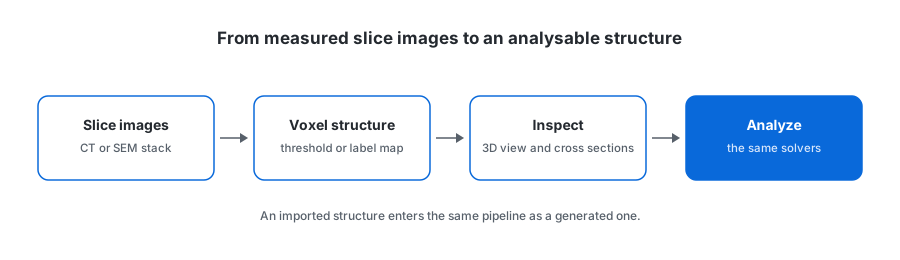
Import a sequence of slice images and get a voxel structure. The slice order you supply is the z order — the importer never re-sorts by filename, so a stack exported with an unusual naming scheme cannot be silently scrambled.
Formats and the two import modes
In the browser, the file picker accepts PNG, JPEG, and TIFF slices. The HTTP API is narrower: POST /api/v1/import-image-stack takes 8-bit grayscale uncompressed TIFF only, because Node has no pure-JS decoder for the other two. Worth knowing before you script it.
| Setting | Options | What it does |
|---|---|---|
| mode | threshold (default) / label-map | Binarise at a cutoff, or read the grayscale value as a material id directly. |
| threshold | 0–255, default 128 | In threshold mode, voxels at or above this become the chosen material. |
| materialId | 1–255, default 1 | Which material the foreground becomes in threshold mode. |
| sliceOrder | ascending (default) / descending | Whether the supplied array runs +z or −z. |
Use threshold mode for a raw greyscale reconstruction where you want one solid phase against pore. Use label-map mode when your segmentation already assigns integer labels per phase and you want to keep them apart — the grayscale value becomes the material id as-is.
What you get on the other side
An imported structure is a voxel grid with a material id per voxel, which is exactly what a generated structure is. The 3D view, the clipping plane, the cross-section inspector with its per-voxel material readout, the property solvers, and every export format all work on it without a conversion step.

The round trip works too: the same slice stack can be exported back out through POST /api/v1/export-image-stack, either as raw material-id grayscale for downstream tooling or in the viewer palette for a figure.
When this is the right route
- You have measured data and want properties from the real structure rather than a stand-in.
- You want to check a generated recipe against a measurement by running both through the same analysis.
- You need the measured structure in a mesh format for an external solver.
What this is not: PKR Core does not reconstruct tomography and does not segment. It starts from slices you have already reconstructed and, for label-map mode, already segmented.